 Silent Storm Technologies
Desktop app for lighting technicians and pixel installers
PixelCheck
Test addressable pixel strips one pixel at a time.
Version 0.1.1, released September 30, 2026 · macOS, Windows · What's new
What it's for
You've just hung a run of pixel tape, or you're commissioning a controller, and you need to know that every pixel is addressed right, every colour channel is in the right order, and nothing is dead. PixelCheck is built for that job and nothing else: patch your strips, press a button, and walk the run.
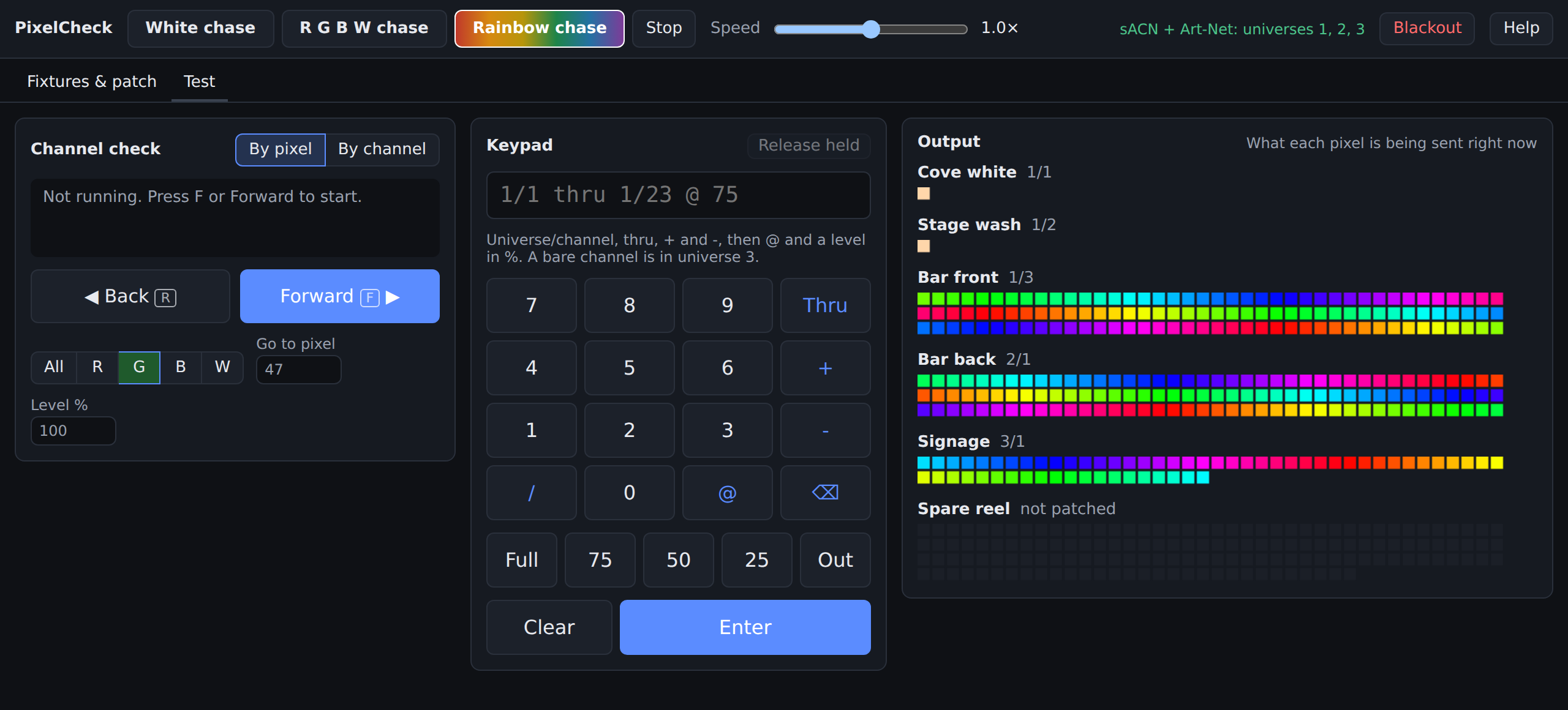
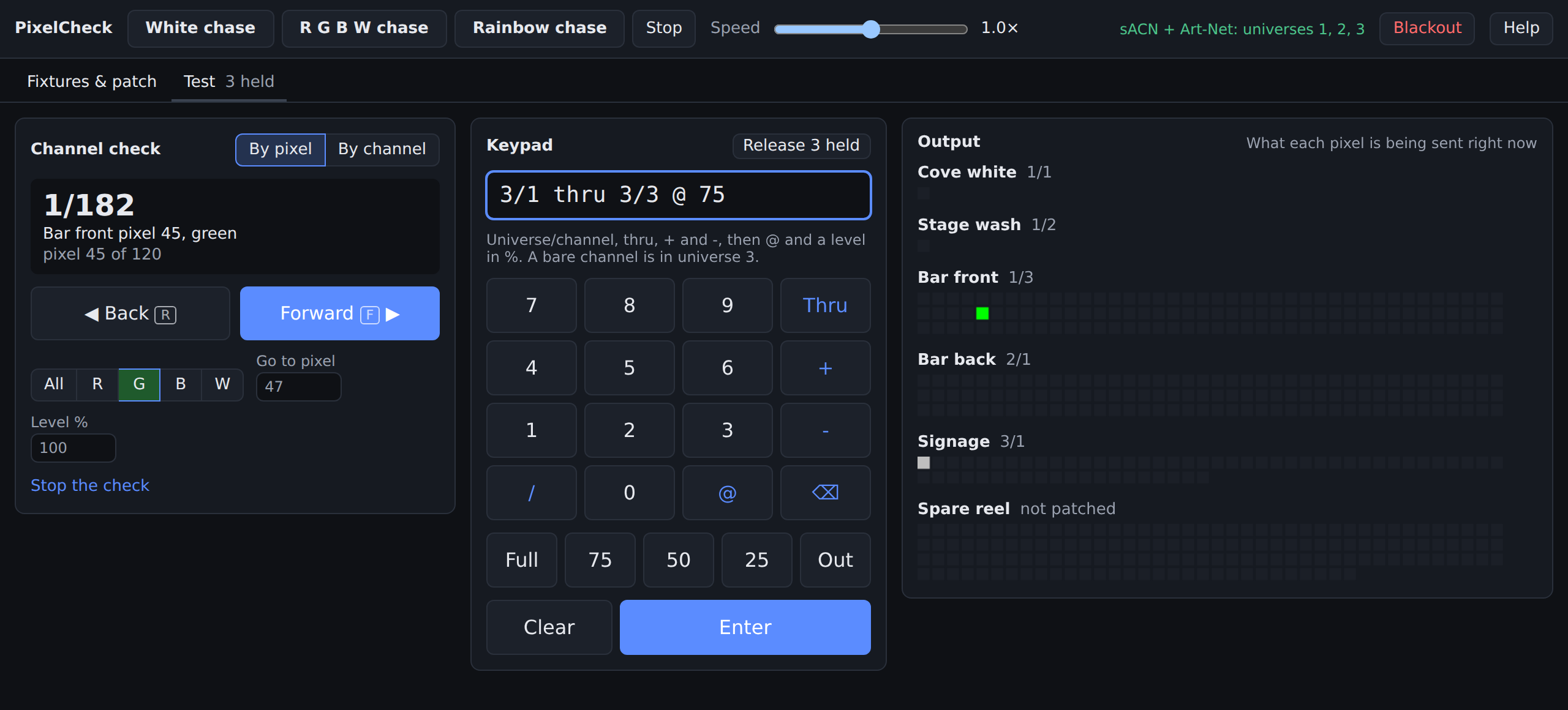
Channel check, forward and back
Step through the rig one pixel or one DMX channel at a time with F and R, from anywhere in the app.
Console-style keypad
Type levels the way you would on a lighting desk: 1/1 thru 1/23 @ 75.
sACN and Art-Net
Multicast sACN with priority, or Art-Net broadcast or unicast, with a live output view.
Features
Channel check
- By pixel: one pixel at a time in patch order, all channels or just R, G, B or W to prove the colour order.
- By channel: one raw DMX channel at a time, whether anything is patched there or not.
- Set the test level, or jump straight to a pixel or address.
Test chases
- White, R G B W and Rainbow chases, from 0.1× to 10× speed.
- Chases follow patch order, so a gap or a jump shows exactly where the problem is.
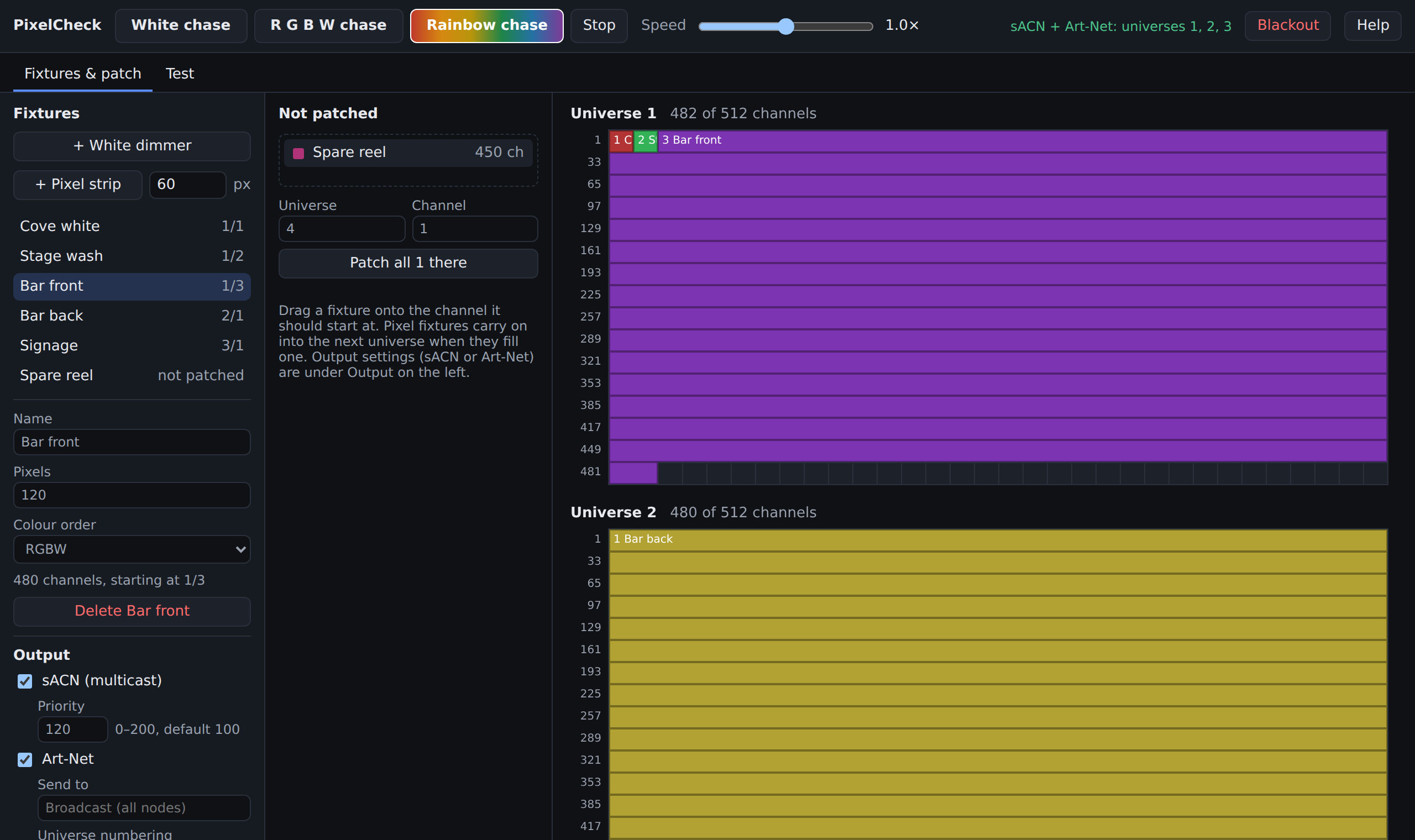
Drag-and-drop patch
- Pixel strips in RGBW, RGB, GRB or any other colour order, with any pixel count.
- White dimmer channels for single-colour fixtures.
- Long strips carry on into the next universe; overlaps and bad addresses are flagged as you patch.
Output
- sACN (E1.31) multicast with priority 0 to 200, to test over a running show.
- Art-Net broadcast or to one node, with universe 0 or 1 numbering.
- Blackout stops everything and releases held channels in one click.
Looks after itself
- Fixtures, patch and output settings are saved automatically.
- Updates itself at launch when a new version comes out.
- Built-in Help (F1) covers every screen.
Buy a licence
Your licence key arrives by email. Paste it into the app's Activate screen the first time it opens. Changing computers? Use Help › Move to another computer, then activate on the new one. More in the licence FAQ.
One licence key, activated on up to four computers at a time.
Licences are checked at launch and keep working offline for up to 30 days.
Download
Latest version: 0.1.1 (September 30, 2026). You only download it once; after that it keeps itself up to date.
Windows
macOS
Need a hand installing? See the install guide. Found a problem or have an idea? Send us a message.